
- Clouds Tech FZE, D-OFF-134, Techno Hub, Dubai Silicon Oasis, Dubai, UAE
BackupAssist 365 provides a simple, automated way to protect Office 365 data without having to get locked into another cloud provider or a backup vendor’s proprietary backup format. It gives you local backups of your cloud data by automatically downloading your cloud data to a local destination. If anything goes wrong with your cloud accounts, you can restore from your local backup copy.

Who? Malicious Employees, Careless Contractors, Cyber Criminals & Cloud Providers
How? Data Deletion, Ransomware Attack, Account Hijack, Compromised Passwords & Human Error
Fortunately, it’s easy to prepare for the worst with robust backups.
The easiest way to be cyber resilient is to have backups. That means you have separate copies of your data, going back in time, stored safely in different locations. BackupAssist 365 is a business-grade application that does exactly that: backing up your cloud-hosted data so you always have a local copy. Is there only one reliable and true copy of your data – the one in the cloud? This is known as a single point of failure. And while the cloud mitigates the physical threats to your data, the digital ones are constantly emerging.
BackupAssist 365 gives you the tools you need to easily archive your data for compliance reasons.
Don’t incur ongoing costs for cold-storing your data in the cloud. Store locally and save!
Your data is your data. BackupAssist 365 downloads it straight from your cloud account to a destination of your choice. No third parties ever see it.
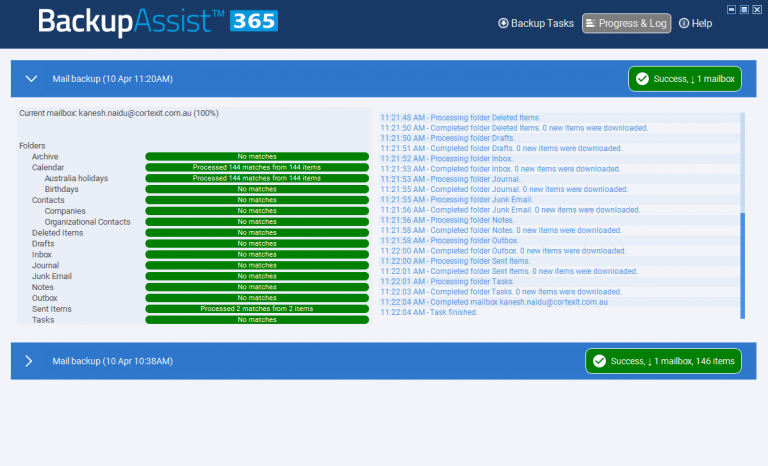
The BackupAssist 365 cloud-to-local system addresses many of the security issues of cloud computing that can put companies at risk of business disruption, or violating GDPR and other compliance mandates. It provides backups of cloud data in non-proprietary data formats, giving customers back control of their data while maintaining the benefits of cloud storage for primary operations. These on-premise backups become invaluable in the event of a ransomware attack or security breach in the cloud.
BackupAssist 365 supports email and files from Microsoft Office 365, Rackspace hosted Exchange, and Exchange Server. It enables the user to select all email and file items or filter them by specified criteria, such as date range. The user can then automatically download the files/email and open them from a local Outlook client, or archive the data to cold storage for business purposes including backups, data protection, disaster recovery, business continuity, legal preparedness, and regulatory compliance. Downloads include all metadata details such as contacts, meetings, and journal entries for rapid discovery.
Download FREE demo of BackupAssist 365 at https://www.backupassist.com/365/downloads
Download FREE demo of BackupAssist 365 at https://www.backupassist.com
Protect your business with our expert cybersecurity and cloud services. From penetration testing to compliance and SOC monitoring, we’ve got you covered.